# Markdown to DOCX Converter
Convert Markdown to DOCX online with depapel. Paste Markdown into the editor,
upload a `.md` or `.markdown` file, or import Markdown from a GitHub, GitLab, or
Bitbucket file URL, then download a Word-compatible document.
## How it works
1. Paste Markdown, upload a file, or load a Git file URL.
2. Choose a document theme such as GitHub, VS Code, Dracula, Nord, Solarized, or
Monokai.
3. Click DOCX to download a Word-compatible document.
## What the DOCX includes
- GitHub-flavored Markdown tables, task lists, links, and images.
- Syntax-highlighted fenced code blocks.
- Eight document themes with matching code highlighting.
- Mermaid diagrams rendered into the document.
- Opt-in page breaks with ``.
- Opt-in page numbers with ``.
## Review and handoff fit
DOCX is the format most office editors and review workflows already understand.
Use it when the writing starts in Markdown but the feedback loop happens in Word
or another DOCX editor.
## Honest scope
depapel exports Markdown structure into DOCX for editing and review. It does not
claim Word template automation, mail merge, or advanced equation layout.
## Output proof for client review
The tracked proof samples below use the same Markdown source for PDF and DOCX,
so you can inspect tables, Mermaid diagrams, code blocks, page numbering, and
handoff-ready formatting before exporting your own document.
### Layout brief
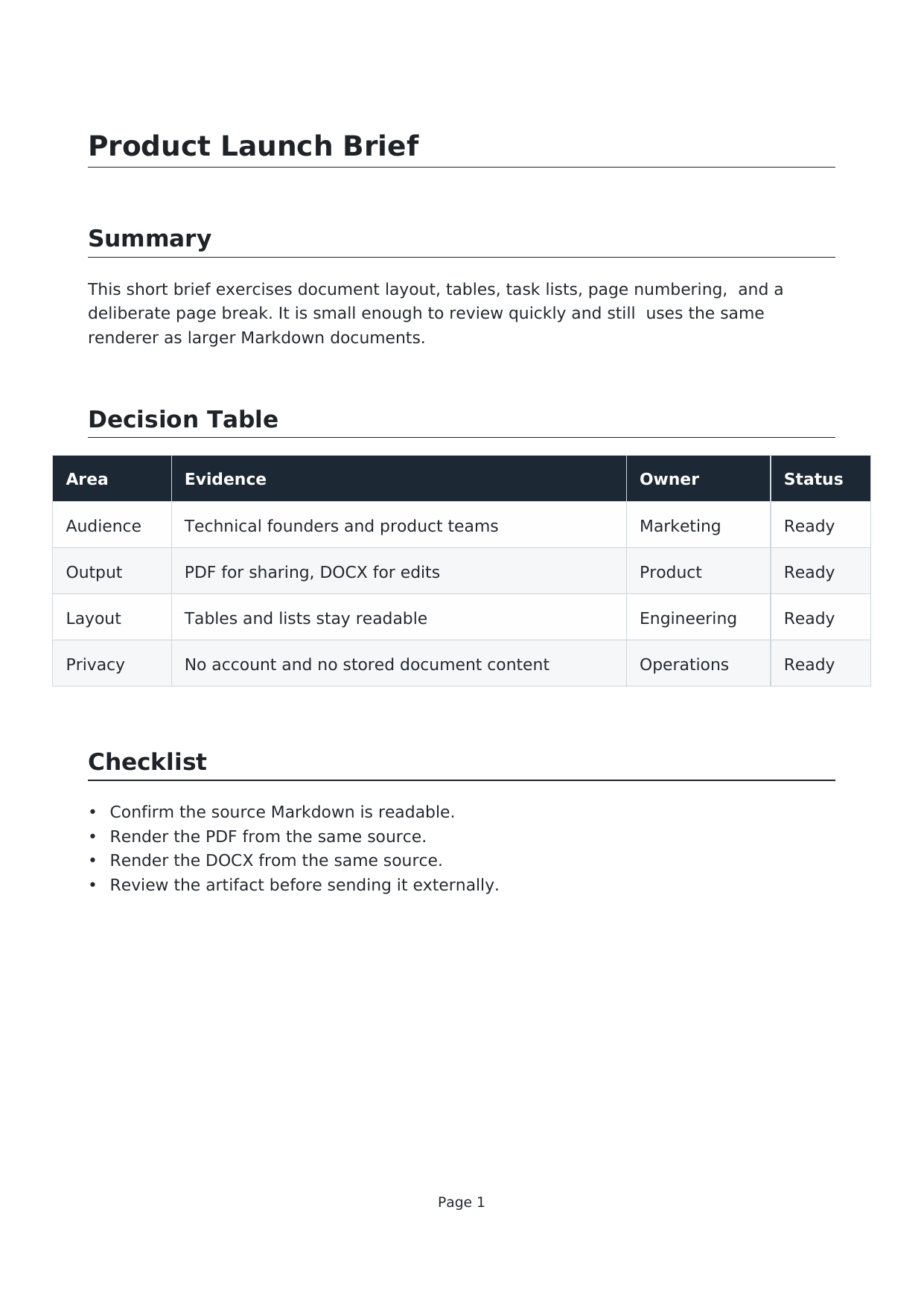
[Markdown](https://depapel.ginylil.com/proof/layout-brief.md),
[DOCX](https://depapel.ginylil.com/proof/layout-brief.docx),
[PDF](https://depapel.ginylil.com/proof/layout-brief.pdf)
Tables, task lists, page numbering, and a deliberate page break from one
Markdown source.
### Mermaid architecture

[Markdown](https://depapel.ginylil.com/proof/mermaid-architecture.md),
[DOCX](https://depapel.ginylil.com/proof/mermaid-architecture.docx),
[PDF](https://depapel.ginylil.com/proof/mermaid-architecture.pdf)
A Mermaid flowchart rendered into DOCX and PDF with surrounding handoff notes.
### Code theme packet

[Markdown](https://depapel.ginylil.com/proof/code-theme.md),
[DOCX](https://depapel.ginylil.com/proof/code-theme.docx),
[PDF](https://depapel.ginylil.com/proof/code-theme.pdf)
TypeScript, YAML, and SQL blocks rendered with a dark document theme and syntax
highlighting.
## Markdown to DOCX questions
### Can depapel convert Markdown to an editable DOCX document?
Yes. depapel exports Markdown to a Word-compatible DOCX file for review,
comments, and handoff in Word or other DOCX editors.
### What Markdown features carry into the DOCX?
The DOCX export supports GitHub-flavored Markdown tables, task lists, links,
images, syntax-highlighted code blocks, document themes, Mermaid diagrams, page
breaks, and page numbers.
### Is this a custom Word template or mail-merge system?
No. depapel focuses on converting Markdown structure into a clean DOCX. It does
not claim Word template automation, mail merge, or advanced equation layout.
### Are Markdown files stored when I create a DOCX document?
No. Conversion runs in memory and submitted document content is discarded after
the DOCX is generated.
### Can I also download a PDF from the same Markdown?
Yes. Paste, upload, or import Markdown once, then download either PDF or DOCX
from the same editor.
## Privacy
Conversion runs on the depapel server in memory. depapel does not store or log
submitted document content.
## Related pages
- [Open the converter](https://depapel.ginylil.com/)
- [Markdown to Word](https://depapel.ginylil.com/markdown-to-word)
- [Markdown to PDF](https://depapel.ginylil.com/markdown-to-pdf)
- [GitHub README to PDF or DOCX](https://depapel.ginylil.com/github-readme-to-pdf)
- [Compare md2docx](https://depapel.ginylil.com/compare/depapel-vs-md2docx)
- [Compare depapel vs browser Print](https://depapel.ginylil.com/compare/depapel-vs-browser-print)
- [Compare depapel vs Pandoc](https://depapel.ginylil.com/compare/depapel-vs-pandoc)
- [FAQ](https://depapel.ginylil.com/faq)