Save a ChatGPT answer as a PDF
You asked ChatGPT and got a great answer — headings, a table, a checklist, maybe some code. Then you pasted it into Word or a print dialog and it fell apart: the table broke, the bullets flattened, the code lost its shape. depapel fixes that. Paste the answer exactly as ChatGPT wrote it and download a clean PDF — tables, bullet points, numbered lists, and code stay intact.
How to download the PDF
- 1. Copy the answer from ChatGPT
- 2. Paste it into the editor
- 3. Choose a theme and click Download PDF
What stays intact
- Tables render as real document tables
- Bullet and numbered lists keep their shape
- Headings stay as headings
- Code blocks with language-aware syntax highlighting
- Bold, italic, links, and images
- Optional page numbers on every page
- Optional repeating headers and footers
Output proof
Each sample below is generated from a real tracked source so you can inspect table layout, code highlighting, page numbering, and heading structure before converting your own answer.
Layout brief
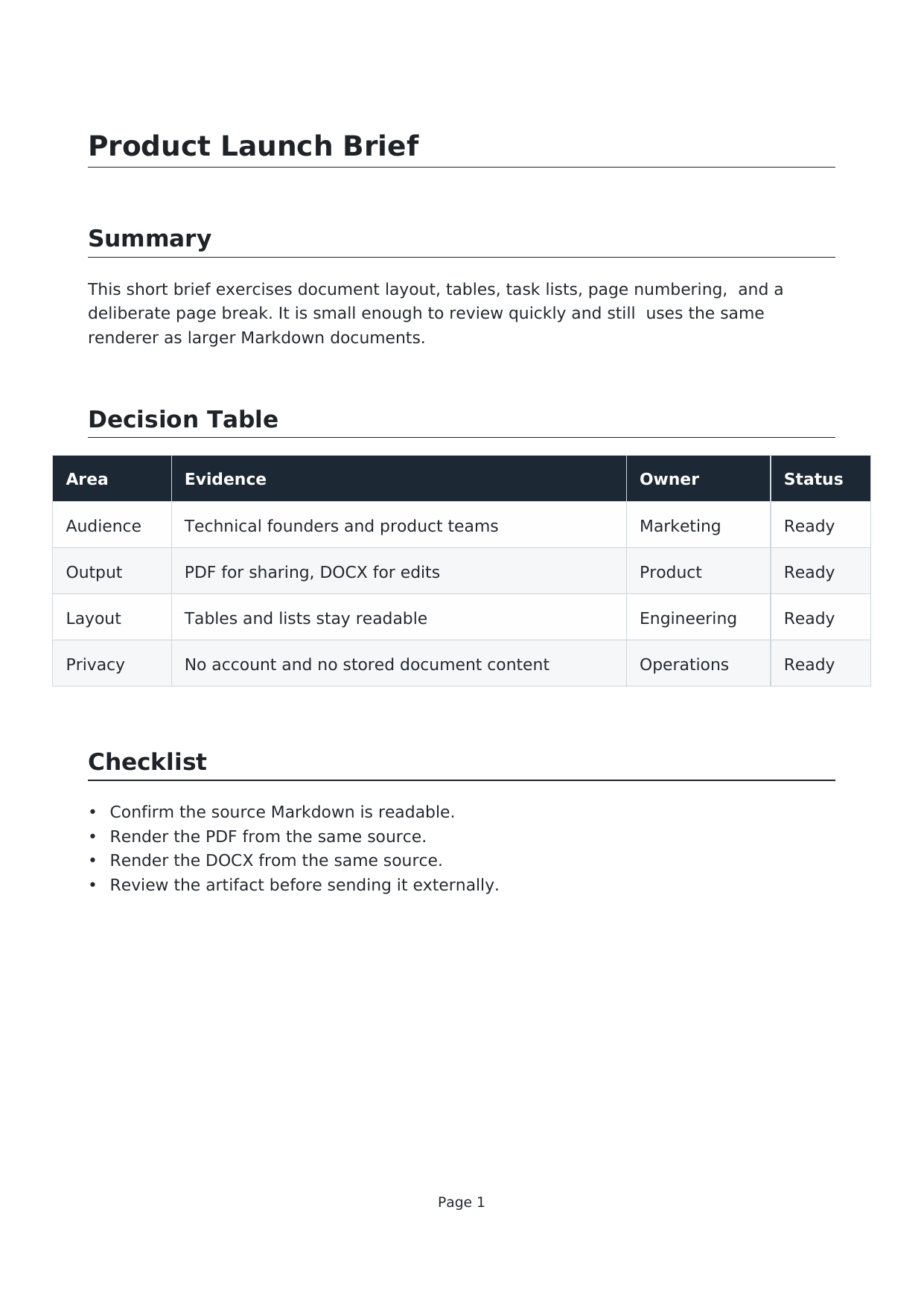
Tables, task lists, page numbering, and a deliberate page break from one source.
Markdown source · PDF · DOCX
Mermaid architecture

A Mermaid flowchart rendered into PDF and DOCX with surrounding handoff notes.
Markdown source · PDF · DOCX
Code theme packet

TypeScript, YAML, and SQL blocks rendered with a dark document theme and syntax highlighting.
Markdown source · PDF · DOCX
ChatGPT to PDF questions
How do I save a ChatGPT answer as a PDF?
Copy the answer from ChatGPT, paste it into depapel, and click Download PDF. Tables, bullet points, numbered lists, headings, and code blocks all stay intact in the downloaded file.
Will my tables and bullet points survive when I convert a ChatGPT answer to PDF?
Yes. depapel is built specifically to preserve structure. Tables render as real document tables, bullet and numbered lists keep their shape, headings stay as headings, and code blocks get syntax highlighting. That is what depapel is for.
Can I add page numbers, headers, and footers to a ChatGPT PDF?
Yes. Use <depapel-page-numbering/> for automatic page numbers, and <depapel-header>/<depapel-footer> tags with left, center, and right slots for running header and footer text or images on every page.
Does depapel connect to ChatGPT?
No. depapel does not connect to ChatGPT or read your conversations. You copy the answer from ChatGPT, paste it into depapel, and we convert the pasted text. Nothing leaves your clipboard until you paste.
Is my ChatGPT answer stored when I convert it?
No. Conversion runs on the depapel server in memory and the content is discarded immediately after the PDF is generated. Nothing is stored or logged.
Honesty note
depapel converts the text you paste. It does not connect to ChatGPT or generate text for you. Conversion runs on the depapel server in memory; your content is not stored or logged after the PDF is generated.
AI to PDF (hub) · ChatGPT to Word · AI to Word · AI to WhatsApp · AI to Email · Markdown to PDF · FAQ