Convert Markdown to PDF Online
Convert technical Markdown into a fixed PDF with readable code, tables, Mermaid diagrams, and deliberate page layout.
What this route is for
Use depapel when the job is simple: take one Markdown source and turn it into a shareable PDF with readable code, tables, images, Mermaid diagrams, page breaks, and page numbers in a fixed document.
How to convert Markdown to PDF
- Paste Markdown, upload a .md file, or load a GitHub, GitLab, or Bitbucket file URL.
- Choose a document theme such as GitHub, VS Code, Dracula, Nord, or Monokai.
- Download a fixed PDF with syntax highlighting, tables, images, Mermaid diagrams, and deliberate page layout.
PDF proof
Inspect the tracked PDF proof before downloading your own file. The samples below are the current PDF evidence for layout, Mermaid, and syntax highlighting on this route.
Layout brief
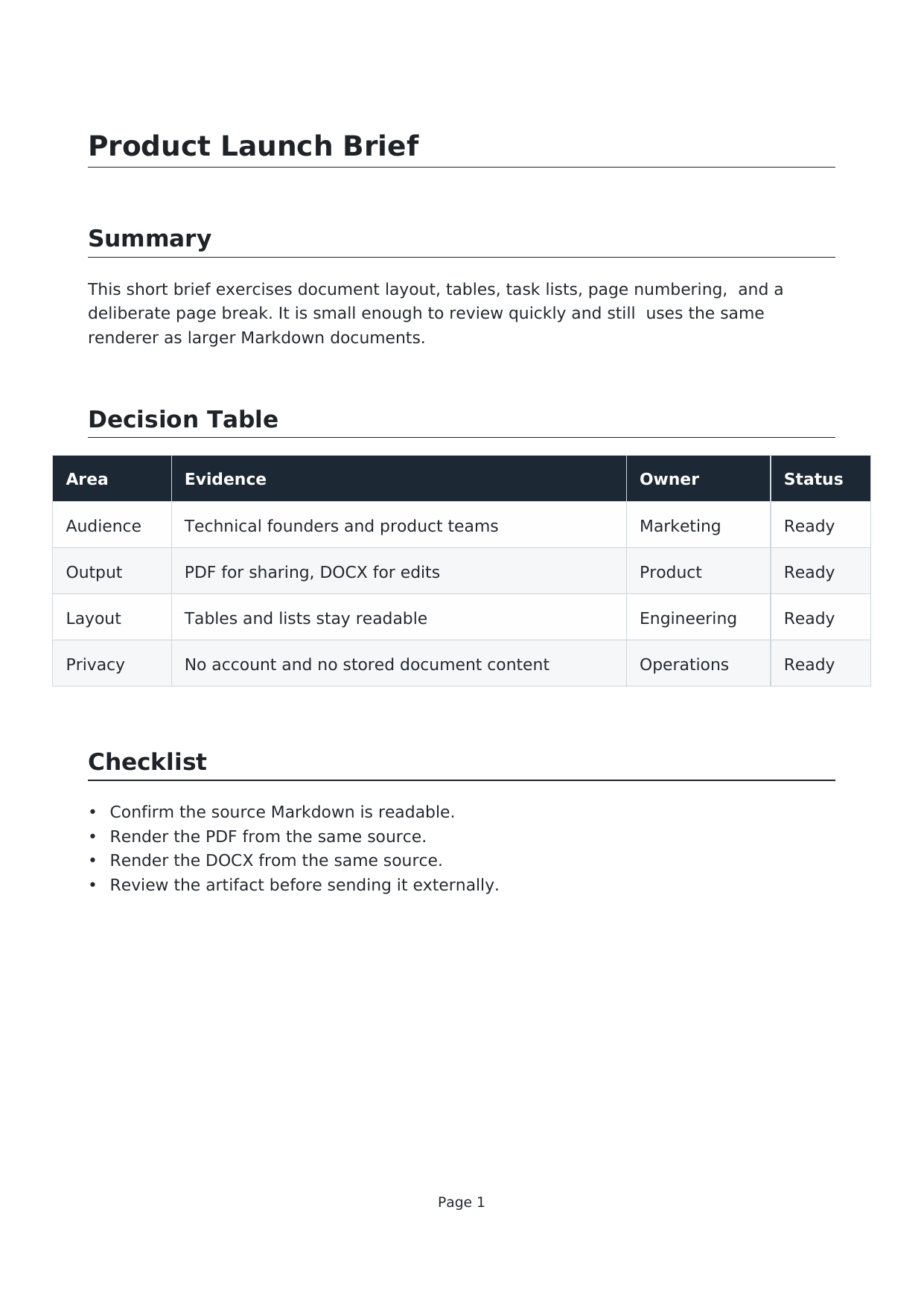
Tables, task lists, page numbering, and a deliberate page break from one Markdown source.
Markdown · PDF · DOCX
Mermaid architecture

A Mermaid flowchart rendered into PDF and DOCX with surrounding handoff notes.
Markdown · PDF · DOCX
Code theme packet

TypeScript, YAML, and SQL blocks rendered with a dark document theme and syntax highlighting.
Markdown · PDF · DOCX
Markdown to PDF questions
Is depapel private when I convert Markdown to PDF?
Conversion runs on the depapel server only for the duration of the request. depapel does not store or log submitted document content after the PDF is generated.
What PDF proof can I inspect before I upload my own Markdown?
Open the tracked proof samples for layout, Mermaid, and code rendering. Each sample links to the Markdown source, preview image, and final PDF so you can inspect the exact document surface this route is promising.
How is depapel different from browser Print to PDF?
Browser Print captures the current page. depapel renders Markdown through a document pipeline built for PDF output, with themes, syntax-highlighted code, tables, images, Mermaid, page breaks, page numbers, and tracked proof samples.
Does the Markdown to PDF converter support code, tables, images, and Mermaid?
Yes. depapel supports GitHub-flavored Markdown, including tables, task lists, links, images, fenced code blocks with syntax highlighting, and Mermaid diagrams rendered into the PDF.
Can I control page breaks and page numbers?
Yes. Use the standalone <depapel-page-break/> directive for a forced page break and <depapel-page-numbering/> to opt into automatic page numbers.
Honest limitation
PDF conversion runs on the depapel server in memory, not browser-local or offline. If you need an editable review file instead of a fixed PDF, use the Word or DOCX routes.
Privacy
Conversion runs on the depapel server in memory. Document content is not stored or logged after conversion.
Open the depapel converter, inspect the PDF proof, compare depapel vs browser Print, open Markdown to Word, open Markdown to DOCX, or read the FAQ.